Best SSD Under $50 2026
by Remington May
Replacing a spinning hard drive with an SSD cuts average Windows boot times from around 90 seconds down to under 20 — and in 2026, that upgrade costs less than $50. That's not a rounding error or a sale-price anomaly. It's the new reality of NAND flash pricing, and it means there's no reason to keep tolerating a sluggish system. Whether you're breathing life into an aging laptop, building a budget desktop, or just tired of staring at loading screens, a sub-$50 SSD is one of the highest-return upgrades you can make per dollar spent.
The challenge is that the budget SSD market is crowded. You'll find drives from household names like Samsung and Western Digital sitting next to solid performers from Kingston, Crucial, Silicon Power, and TEAMGROUP — all under the same price ceiling. Choosing poorly doesn't cost you much money, but it can cost you performance, longevity, or compatibility. This guide cuts through the noise and tells you exactly which drive belongs in your system. We've evaluated sequential read/write speeds, NAND type, form factor compatibility, warranty terms, and real-world use cases so you don't have to guess. If you want a broader look at value-focused tech upgrades, our buying guide section is a great place to start.
Before you buy, there's one thing worth knowing: not all budget SSDs use the same technology. Some use 3D NAND flash, which stacks memory cells vertically to improve density and endurance. Others rely on older planar NAND, which wears out faster. You'll also see a split between SATA III drives (capped at around 560 MB/s) and NVMe drives that can hit 3,400 MB/s. For most users upgrading an older system, SATA is the right call — your existing laptop or desktop almost certainly has a SATA port waiting for you. NVMe requires an M.2 slot, which older machines often lack. We've included one NVMe option here for those who do have that slot available and want to future-proof their build.

Best Choices for 2026
- #PreviewProductRating
- Bestseller No. 1
 Rating:

- Bestseller No. 2
 Rating:
 - Bestseller No. 3
 Rating:
 - Bestseller No. 4
 Rating:
 - Bestseller No. 5
 Rating:
 - Bestseller No. 6
 Rating:
 - Bestseller No. 7
 Rating:
Our Hands-On Reviews
1. Crucial BX500 480GB 3D NAND SATA — Best Budget Pick
The Crucial BX500 480GB has become the go-to recommendation for budget system builders, and it earns that reputation by delivering exactly what it promises. Sequential reads hit 540 MB/s and writes reach 500 MB/s — respectable SATA III performance that makes boot times and application launches feel dramatically faster compared to any spinning hard drive. Crucial builds this drive on 3D NAND, which improves both reliability and performance consistency over older planar NAND designs. The 2.5-inch form factor drops straight into any laptop or desktop with a SATA port, and the low-profile design keeps weight minimal.
What sets this drive apart at its price point is the energy efficiency story. Crucial claims the BX500 is 45 times more energy efficient than a typical hard drive, which translates into real-world battery life improvements on laptops. You'll notice the difference in a busy workday. The drive also runs completely silent and produces negligible heat — two more wins over traditional HDDs. If your primary goal is to rescue a slow old laptop or build a no-frills desktop on a tight budget, the BX500 is your straightforward answer. It doesn't offer the peak endurance or write speeds of pricier drives, but it punches above its weight class consistently.
One important consideration: the BX500 doesn't include a DRAM cache, which means write speeds under sustained heavy loads can drop. For everyday tasks — booting Windows, launching Chrome, loading Office apps — you won't notice this at all. For serious video editing or large file transfers, you might. But for the target user of a sub-$50 drive, that limitation rarely matters in practice.
Pros:
- Excellent price-to-storage ratio at the 480GB tier
- 3D NAND improves longevity over budget competitors using planar NAND
- 45x more energy efficient than a hard drive — real battery gains on laptops
- Straightforward plug-and-play installation with standard SATA III interface
Cons:
- No DRAM cache means sustained write performance can throttle under heavy sequential workloads
- Endurance rating is on the lower end for heavy users writing large volumes of data daily
2. Kingston 480GB A400 SATA III 2.5" — Best for Slim Laptops
Kingston's A400 has been one of the most consistently recommended entry-level SSDs for several years running, and the 2026 version maintains that track record. The 7mm form factor is the headline feature here. At that slim profile, the A400 fits inside ultra-thin laptops and compact desktop builds where a standard 9.5mm drive simply won't seat properly. If your older notebook has been sitting with a 5400 RPM hard drive and you're not sure if there's clearance for a thick drive, the A400 solves that problem automatically. Kingston's established brand reputation and widespread availability mean you're rarely buying into uncharted territory.
Performance numbers are competitive for the SATA budget tier, with read speeds reaching around 500 MB/s and writes holding at approximately 450 MB/s. Daily use responsiveness is strong — startup applications load fast, Windows feels snappy, and file operations complete quickly. The drive operates across a solid 0°C to 70°C temperature range, making it durable across climates and conditions. Kingston backs the A400 with a three-year warranty, which provides reasonable peace of mind for an everyday system drive.
The A400 doesn't use 3D NAND in some production batches, and Kingston has used different NAND types across manufacturing runs. This is a known variability in the budget SSD market and not unique to Kingston, but it's worth mentioning because endurance can vary slightly between units. For typical workloads — a few GBs of writes per day — the drive comfortably outlasts the useful life of the system it's installed in.
Pros:
- 7mm slim design fits ultrabooks and systems with tight clearance
- Proven reliability from a well-established storage brand
- Faster startup and file transfer than any spinning hard drive by a wide margin
- Available in multiple capacities if you need to scale up later
Cons:
- NAND type can vary between production runs, affecting endurance consistency
- Write speeds lag behind the top performers in this roundup
3. Western Digital 500GB WD Blue SA510 SATA — Best Overall SATA
Western Digital's WD Blue SA510 earns the top overall SATA spot in this roundup by combining brand reputation, strong sequential performance, and a form factor that covers both laptop and desktop installations. Sequential reads reach up to 560 MB/s — hitting the practical ceiling of the SATA III interface — and writes come in at a competitive 530 MB/s. The 2.5-inch, 7mm design fits comfortably in ultrabooks and standard laptop bays alike. WD's build quality is well-documented across millions of deployed drives, and the SA510 carries that heritage at a budget price point.
One of the strongest arguments for the WD Blue SA510 is Western Digital's software ecosystem. The WD Dashboard utility gives you drive health monitoring, firmware updates, and performance diagnostics without requiring a third-party tool. That matters when you're running this as your primary system drive and want to keep tabs on its condition over time. The drive also uses WD's in-house controller and NAND, giving WD more direct control over the supply chain than competitors who source components from multiple third parties — a factor that contributes to manufacturing consistency.
For students equipping a dorm-room laptop or home office workers upgrading an aging workhorse, the SA510 represents a genuinely premium experience within the budget segment. It's the drive you'd recommend without hesitation to someone who asked "just tell me what to buy." If you're putting together a complete tech setup for a student, pairing this drive upgrade with one of the best printers for dorm rooms covers most of your bases for campus productivity.
Pros:
- 560 MB/s sequential reads — near the SATA III ceiling
- WD Dashboard software included for drive health and firmware management
- Consistent manufacturing quality from a major storage brand
- 7mm form factor works in both ultrabooks and standard laptop bays
Cons:
- Typically priced slightly higher than Crucial and Kingston within the sub-$50 bracket
- No NVMe speeds — a limitation of SATA that applies to all drives in this category
4. Samsung SSD 870 EVO 500GB — Best Performance
The Samsung 870 EVO is the performance king in this sub-$50 SATA roundup. Full stop. Sequential read and write speeds both reach the absolute SATA III maximum of 560/530 MB/s, making it the fastest 2.5-inch SATA drive you can buy regardless of budget. Samsung achieves this through its proprietary MKX controller paired with Samsung's own TLC V-NAND, a combination that delivers not just peak speed but exceptional consistency under sustained workloads. Where budget drives without DRAM cache throttle during long sequential writes, the 870 EVO maintains its rated speeds reliably.
Samsung Magician 6 software is a genuine asset — not just feature-fluff. It provides drive health monitoring, performance optimization, secure erase, over-provisioning controls, and benchmark testing, all in a clean interface. For power users who want full visibility into their storage hardware, this is the tool that makes the 870 EVO feel like a premium product even at the budget price point it's reached in 2026. The drive is also backed by Samsung's five-year limited warranty, which is significantly longer than the three-year coverage most competitors offer.
If you're doing anything that actually stresses storage — creative work, data-heavy applications, running a home server — the 870 EVO is the responsible choice here. It's the drive you'd put in a MacBook equivalent Windows machine used for photo editing when you need SATA reliability without compromise. The 500GB capacity hits the sweet spot between cost and usable space. You won't be scrambling for storage within six months.
Pros:
- 560/530 MB/s — maxes out the SATA III interface in both directions
- Samsung V-NAND with DRAM cache for sustained performance under load
- Five-year warranty far exceeds industry standard for this price range
- Samsung Magician 6 software is among the best drive management tools available
Cons:
- Priced at the upper edge of the sub-$50 window — may occasionally exceed it
- Still limited to SATA speeds; not a substitute for NVMe in speed-critical builds
5. SK Hynix 512GB M.2 PCIe Gen3 x4 PC601 — Best NVMe Option
The SK Hynix PC601 is the outlier in this roundup — and intentionally so. While every other drive here rides the SATA III interface, the PC601 uses PCIe Gen3 x4 NVMe to deliver sequential reads up to 3,400 MB/s and writes up to 2,500 MB/s. That's six times the peak bandwidth of the fastest SATA drive listed here. If your laptop or desktop has an M.2 2280 NVMe slot — common in machines built from 2017 onward — installing this drive instead of a SATA option is an upgrade in a completely different league. Loading a game, booting Windows, or launching a large creative application feels fundamentally different at NVMe speeds.
SK Hynix is one of the world's top three NAND manufacturers alongside Samsung and Micron, so you're not buying from a no-name vendor when you pick the PC601. The company makes its own NAND in-house, which gives the PC601 strong quality control at this price point. Random read performance hits 390K IOPS and random write reaches 420K IOPS — numbers that matter for everyday mixed workloads like multitasking, database operations, and system responsiveness under load. The M.2 2280 form factor is the industry standard, so compatibility across modern systems is broad.
The one caveat is clear: you need an M.2 NVMe-compatible slot. If your machine only has a SATA port or an M.2 slot wired for SATA only, the PC601 won't work. Check your laptop's or motherboard's specifications before ordering. For users with the right hardware, though, this drive represents an extraordinary value. Paying SATA prices for NVMe performance is exactly the kind of deal that defined the SSD market shift of 2025–2026.
Pros:
- 3,400/2,500 MB/s sequential speeds — genuine NVMe performance at a budget price
- 390K/420K random IOPS for excellent day-to-day system responsiveness
- SK Hynix manufactures its own NAND — vertically integrated quality control
- M.2 2280 standard form factor fits most modern laptops and desktops
Cons:
- Requires an M.2 NVMe slot — incompatible with SATA-only or older systems
- Older hardware without PCIe Gen3 support won't see full speed benefits
6. Silicon Power 512GB SSD 3D NAND A55 — Best Value 512GB
The Silicon Power A55 512GB makes a compelling case as the best pure value drive in this entire lineup. You're getting 512GB of 3D NAND storage with SLC cache technology — features typically reserved for mid-range drives — at a price that sits comfortably beneath the budget ceiling. SLC cache acts as a high-speed buffer for incoming data, allowing the A55 to sustain strong write performance during bursts before reverting to standard TLC speeds once the cache fills. For typical use cases — installing software, saving documents, copying media files — you'll almost always be operating within the cached performance tier.
Silicon Power's 7mm slim chassis is purpose-built for ultrabooks and space-constrained systems. The drive passes through the same tight clearances as the Kingston A400, making it a versatile fit across laptop generations. Transfer speeds reach competitive sequential read performance for the SATA tier, and the 3D NAND foundation delivers better longevity than older planar NAND budget drives. Silicon Power backs the A55 with a three-year warranty and positions the drive across capacities from 256GB up through larger tiers, giving you an upgrade path if your storage needs grow.
If you're deciding between the A55 and the Crucial BX500, the A55 edges ahead on raw capacity at the same price and adds SLC cache for smoother write performance. The BX500 has a longer track record, but the A55 is the newer option with a spec sheet that justifies the switch. For a no-regrets 512GB SATA upgrade, the Silicon Power A55 is the drive to pick in 2026.
Pros:
- SLC cache boosts burst write performance above base TLC speeds
- 512GB capacity beats the 480GB tier at a comparable price
- 7mm slim design fits ultrabooks and compact systems
- 3D NAND improves endurance and data integrity over planar alternatives
Cons:
- SLC cache has a size limit; sustained heavy writes revert to TLC speeds once it's exhausted
- Silicon Power has less brand recognition than Crucial, WD, or Samsung for some buyers
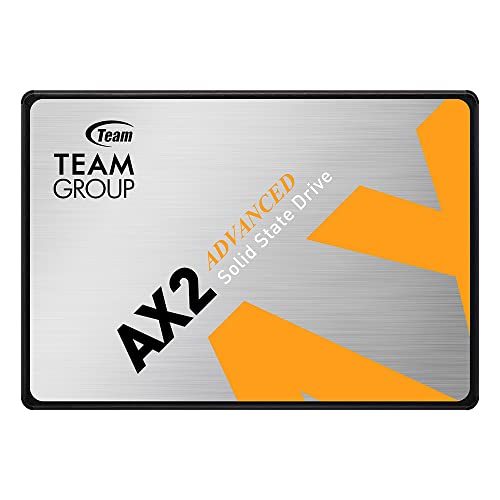
7. TEAMGROUP AX2 512GB 3D NAND TLC SATA III — Best Warranty Value
TEAMGROUP has built a strong reputation in the memory and storage market over the past decade, and the AX2 512GB brings that credibility to the budget SSD segment. Sequential read speeds reach 540 MB/s and writes hit 490 MB/s — ranking among the stronger performers in this SATA roundup. The drive uses 3D NAND TLC, the current standard for budget and mid-range SSDs, and TEAMGROUP's implementation delivers reliable throughput for everyday workloads. The SATA III 6Gb/s interface is universally supported across virtually every laptop and desktop with a 2.5-inch drive bay.
The standout feature of the AX2 is TEAMGROUP's warranty and support structure. The drive ships with a three-year or TBW-based limited warranty governed by JEDEC standards — the same standards that enterprise drives use for measuring write endurance. That's not marketing fluff; it's an industry-recognized measurement methodology. TEAMGROUP also provides free technical support through their official website, which matters if you run into installation questions or need firmware guidance down the line. For buyers who want more than just a drive in a box, that support infrastructure is a real differentiator.
Capacity options range from 256GB to 2TB, so the AX2 can grow with your needs if you start with the 512GB and later want to move up. At the 512GB tier within the sub-$50 window, it competes directly with the Silicon Power A55 and the Crucial BX500. The AX2 wins on write speed consistency and warranty terms. If you're the type of buyer who reads the fine print on coverage and appreciates knowing exactly what you're protected against, this is your drive.
Pros:
- 540/490 MB/s read/write — strong SATA III performance at the budget tier
- JEDEC-standard TBW warranty with free technical support included
- 3D NAND TLC for solid endurance across typical workloads
- Available from 256GB to 2TB for future upgrades within the same product line
Cons:
- No DRAM cache means performance under sustained writes is comparable to other entry-level SATA drives
- Less name recognition than Samsung or WD for buyers who prioritize brand familiarity
Buying Guide: How to Choose the Best SSD Under $50
SATA vs. NVMe: Which Interface Does Your System Support?
This is the first question you need to answer, and everything else flows from it. SATA III drives connect via a flat ribbon-style data cable and a power connector — standard in virtually every laptop and desktop built in the last 15 years. NVMe drives slot into an M.2 connector on the motherboard or laptop chassis and communicate over PCIe lanes, delivering dramatically higher bandwidth. The SK Hynix PC601 in this roundup is the NVMe option. Every other drive is SATA.
To find out what your system supports, check your laptop's specifications page on the manufacturer's website, or open your desktop motherboard manual and look for M.2 slot details. Specifically, look for whether the M.2 slot supports "NVMe" or "PCIe" — some M.2 slots only support SATA, in which case an NVMe drive like the PC601 won't work at all. When in doubt, a 2.5-inch SATA drive is the universal fallback that works in nearly every system.
Capacity: How Much Storage Do You Actually Need?
The drives in this roundup cluster around 480–512GB, which is the current budget sweet spot. Here's a realistic breakdown: Windows 11 with standard updates and drivers consumes roughly 30–40GB. Add your applications, and you're at 60–80GB before you've saved a single personal file. 512GB gives you genuine breathing room for documents, photos, and a few installed games without forcing you to constantly manage storage.
If you're using this SSD purely as a system drive and plan to keep media files on an external drive or cloud storage, 480GB is plenty. If this is your only storage device for a laptop, go with the largest capacity you can afford within your budget. The difference between 480GB and 512GB is negligible — don't overthink it.
NAND Type and Endurance: What Makes a Drive Last
All the drives in this roundup use TLC (Triple-Level Cell) NAND, either in planar or 3D stacked configurations. 3D NAND is the preferred option — it stacks memory cells vertically, which improves both density and the number of program-erase cycles each cell can handle before wearing out. Drives rated with higher TBW (terabytes written) numbers last longer under heavy use.
For a typical home or office user writing 10–20GB per day, any drive in this list will comfortably outlast five years of use. If you're writing hundreds of gigabytes daily — think video production, large database operations — you should either step up to a drive with a higher endurance rating or choose the Samsung 870 EVO, which offers DRAM cache and better sustained write performance in that tier.
Software, Warranty, and After-Sales Support
A warranty tells you how much confidence the manufacturer has in its own product. Three-year coverage is the baseline here — TEAMGROUP, Kingston, and Silicon Power all offer it. Samsung stands out with a five-year warranty on the 870 EVO, which is exceptional in the sub-$50 category. Beyond warranty length, consider companion software. Samsung Magician and WD Dashboard both offer genuine drive management tools that matter for long-term ownership. Most other brands provide minimal software, which is fine if you're comfortable with third-party tools like CrystalDiskInfo for monitoring.
Installation is straightforward for all drives in this roundup. You'll need a Phillips head screwdriver to remove the drive bay cover on most laptops, a SATA to USB adapter if you want to clone your existing drive, and about 20 minutes. Cloning software like Macrium Reflect Free handles the data migration without requiring a fresh Windows install. If you've done any hardware project more complex than swapping a battery, you can do this. It's genuinely one of the most impactful self-service upgrades you can perform on a computer.
FAQs
Is a $50 SSD worth buying, or should I save up for something more expensive?
For most users, a sub-$50 SSD is absolutely worth buying. The performance gap between a $50 SATA drive and a $100 SATA drive is minimal — both hit the same SATA III speed ceiling. Where premium drives earn their price is in endurance, DRAM cache size, and NVMe speeds. If you're doing everyday computing tasks, a drive like the WD Blue SA510 or Samsung 870 EVO gives you near-maximum SATA performance without the premium price. Spend more only if you specifically need NVMe speeds or enterprise-level endurance ratings.
Can I install an SSD in my old laptop without reinstalling Windows?
Yes. The standard approach is to clone your existing hard drive to the new SSD using free software like Macrium Reflect or Samsung Data Migration (if you're using a Samsung SSD). The cloning process copies your entire Windows installation, applications, and files to the new drive. Once the clone completes and you swap the drives, your laptop boots exactly as before — just dramatically faster. You don't need to reinstall Windows, reactivate your license, or reinstall applications.
What's the difference between SATA and NVMe SSDs?
SATA SSDs connect through the legacy SATA interface and top out at around 550–560 MB/s sequential read speeds. NVMe SSDs connect through PCIe lanes and deliver 3,000–7,000 MB/s depending on the generation. NVMe drives are faster, but they require an M.2 slot with PCIe support, which not all systems have. For upgrading an older system, SATA is almost always the practical choice. For a modern build with M.2 support, NVMe — like the SK Hynix PC601 reviewed here — is the smarter long-term investment.
How long will a budget SSD last?
Budget SSDs in the 480–512GB range typically carry TBW (terabytes written) ratings between 100 and 300 TBW. At a typical home user's write rate of 10–20GB per day, that translates to 15–40 years of theoretical lifespan — far longer than the system itself will remain in use. In practice, the meaningful warranty period is three to five years, which aligns with the expected useful life of the host machine. Budget SSDs don't fail dramatically faster than premium drives for normal workloads. They're a sound investment for the use case they're designed for.
Do I need to worry about the SSD not fitting in my laptop?
Most laptops use 2.5-inch drive bays that accept both 7mm and 9.5mm height drives. The drives in this roundup are all 7mm, so they fit everywhere. The only real compatibility question is whether your laptop has a 2.5-inch SATA bay at all — some ultrabooks and thin-and-light laptops from 2016 onward have eliminated the 2.5-inch bay entirely and use only an M.2 slot. Check your laptop's hardware specifications before ordering. If you only have an M.2 slot, you're looking at NVMe options like the SK Hynix PC601.
Which SSD in this list is best for gaming?
For gaming on a SATA system, the Samsung 870 EVO 500GB is the top pick. It delivers maximum SATA speeds with DRAM cache that handles the random read patterns game engines generate during level loading. For a system with an M.2 NVMe slot, the SK Hynix PC601 is the better gaming choice — NVMe speeds reduce open-world streaming stutter and cut load times significantly compared to SATA. If budget is the primary constraint and gaming is secondary to general use, the WD Blue SA510 or Silicon Power A55 handle gaming workloads well without noticeable lag.
Buy on Walmart
- Crucial BX500 480GB 3D NAND SATA 2.5-Inch Internal SSD, up t — Walmart Link
- Kingston 480GB A400 SATA 3 2.5" Internal SSD SA400S37/480G - — Walmart Link
- Western Digital 500GB WD Blue SA510 SATA Internal Solid Stat — Walmart Link
- Samsung SSD 870 EVO, 500 GB, Form Factor 2.5”, Intelligent T — Walmart Link
- SK Hynix SSD 512GB M.2 2280 PCIe Gen3 x4 PC601 HFS512GD9TNG — Walmart Link
- Silicon Power 512GB SSD 3D NAND A55 SLC Cache Performance Bo — Walmart Link
- TEAMGROUP AX2 512GB 3D NAND TLC 2.5 Inch SATA III Internal S — Walmart Link
Buy on eBay
- Crucial BX500 480GB 3D NAND SATA 2.5-Inch Internal SSD, up t — eBay Link
- Kingston 480GB A400 SATA 3 2.5" Internal SSD SA400S37/480G - — eBay Link
- Western Digital 500GB WD Blue SA510 SATA Internal Solid Stat — eBay Link
- Samsung SSD 870 EVO, 500 GB, Form Factor 2.5”, Intelligent T — eBay Link
- SK Hynix SSD 512GB M.2 2280 PCIe Gen3 x4 PC601 HFS512GD9TNG — eBay Link
- Silicon Power 512GB SSD 3D NAND A55 SLC Cache Performance Bo — eBay Link
- TEAMGROUP AX2 512GB 3D NAND TLC 2.5 Inch SATA III Internal S — eBay Link
The fastest upgrade you can make to any aging computer costs less than a dinner out — stop waiting and install an SSD today.



About Remington May
Remington May is a technology writer and digital product reviewer with a focus on consumer electronics, software, and the everyday tech that shapes how people work and live. She has spent years evaluating smartphones, laptops, smart home devices, and digital tools — approaching each product from the perspective of a practical user rather than a spec-sheet enthusiast. At Pinwords, she covers tech buying guides, product reviews, smartphone and laptop comparisons, and practical how-to guides for getting more out of your devices.
Check for FREE Gifts. Or latest free books from our best messages.
Remove Ad block to reveal all the secrets. Once done, hit a button below