Best Printer For Photographers 2026
by Remington May
You just finished editing a portrait session — skin tones are perfect, the contrast is dialed in, and every detail pops on your calibrated monitor. Then you hit print, and the result looks nothing like what you see on screen. Flat colors, muddy shadows, and that unmistakable "good enough" quality that makes you cringe. If you've been there, you already know that your printer matters just as much as your camera and your editing software.
Finding the right photo printer in 2026 means navigating a sea of ink systems, color gamuts, and print sizes. Whether you need gallery-ready 17-inch prints or quick 4x6 snapshots to hand clients at a wedding reception, the gap between a decent printer and a truly great one is massive. We spent weeks testing the latest models from Canon and Epson, running prints on everything from glossy paper to fine art cotton rag, to bring you the seven best options on the market right now.
This guide covers printers at every price point and skill level — from compact dye-sub units perfect for event photographers to professional wide-format machines that belong in a print studio. If you're also exploring other output options, our buying guide hub covers additional categories worth checking out. Let's get into the picks.

Contents
Our Top Picks for 2026
- #PreviewProductRating
- Bestseller No. 1
 Rating:

- Bestseller No. 2
 Rating:
 - Bestseller No. 3
 Rating:
 - Bestseller No. 4
 Rating:
 - Bestseller No. 5
 Rating:
 - Bestseller No. 6
 Rating:
 - Bestseller No. 7
 Rating:

In-Depth Reviews
1. Canon Pixma Pro-200s — Best Dye-Ink Photo Printer
The Canon Pixma Pro-200s is a standout choice for photographers who prioritize vibrant, punchy color over archival longevity. It uses an 8-color dye-based ink system that produces prints with a richness and saturation that pigment-based printers struggle to match on glossy media. Skin tones come out smooth and natural, gradients are seamless, and highlights have a luminosity that jumps off the page. For portrait, wedding, and event photographers who print primarily on glossy or semi-gloss paper, this is one of the most satisfying printers you can own.
Canon supports an impressive range of media types and sizes, from standard 4x6 up to 13x19 borderless. You can feed it fine art paper, panoramic rolls, and thick card stock without issue. The built-in 3-inch LCD makes it easy to check ink levels and run maintenance cycles without opening a laptop. Print speeds are reasonable for a photo-centric machine — you won't be waiting around for a single 13x19 to finish. The wireless connectivity works reliably, and Canon's Print Studio Pro plugin integrates smoothly with Lightroom and Photoshop.
Where the Pro-200s truly shines is value. Compared to pigment-based models at similar print sizes, you're spending significantly less upfront and getting ink cartridges that cost less per milliliter. The trade-off is that dye-based prints are more susceptible to fading and moisture damage over time, so they're not ideal for gallery prints that need to last decades without glass. But for client proofs, personal prints, and any work that lives behind glass or in an album, the output quality is excellent.
Pros:
- 8-color dye ink produces exceptionally vibrant, saturated prints on glossy media
- Supports borderless printing up to 13x19 with multiple media types
- Lower upfront cost and ink expense compared to pigment-based alternatives
Cons:
- Dye-based prints are less resistant to fading and moisture than pigment inks
- No scanner or copier functionality — strictly a dedicated photo printer

2. Epson SureColor P700 — Best 13-Inch Professional Printer
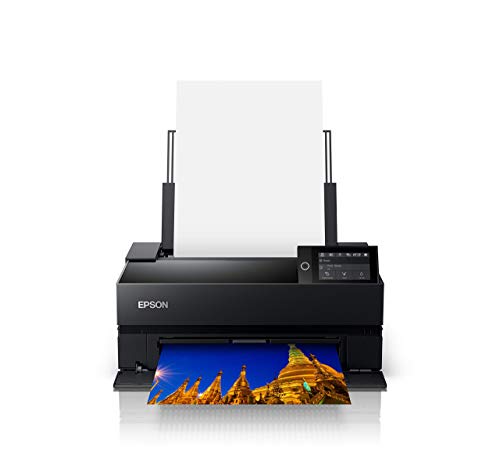
The Epson SureColor P700 is one of the most well-rounded 13-inch photo printers available in 2026. Powered by Epson's UltraChrome PRO10 ink set — which includes a dedicated Violet ink channel — this printer delivers a color gamut that's noticeably wider than its predecessor. Blues are deeper, purples are more accurate, and the overall tonal range gives you the kind of fidelity that makes a print look better than the screen. For photographers who sell prints, enter competitions, or simply demand the best possible output, the P700 sets the standard at this size class.
One of the P700's most appreciated features is the elimination of black ink switching. Both Photo Black and Matte Black have dedicated nozzle rows, so you can jump between glossy and matte paper without wasting ink or waiting for a swap cycle. This alone saves you money and time over the life of the printer. The 10-channel MicroPiezo AMC printhead is precise and consistent, producing prints with smooth gradations and no visible banding even on close inspection.
Print speeds are solid — a 13x19 on premium glossy finishes in roughly four minutes at the highest quality setting. The rear feed handles thicker fine art papers with ease, and the roll paper holder accommodates panoramic prints. Connectivity options include USB, Ethernet, and Wi-Fi, and the 4.3-inch touchscreen makes navigation painless. If you've been relying on a lab for your prints and want to bring that quality in-house, the P700 is the printer that makes it happen. For photographers who also need a machine that handles everyday documents alongside photos, take a look at our roundup of the best photo printers for Mac for some versatile alternatives.
Pros:
- UltraChrome PRO10 ink with Violet channel for an exceptionally wide color gamut
- No Photo/Matte Black switching — dedicated nozzles for both
- Excellent build quality with robust media handling including roll paper
Cons:
- Premium price point compared to dye-ink alternatives at this size
- Ink cartridges are proprietary and not inexpensive to replace
3. Epson SureColor P900 — Best 17-Inch Wide-Format Value
If you need 17-inch prints but don't want to sacrifice half your desk to a hulking wide-format machine, the Epson SureColor P900 is the answer. It's remarkably compact for a 17-inch printer — roughly the size of a standard desktop inkjet — yet delivers output that competes with printers twice its size and price. Like its smaller sibling the P700, the P900 uses the UltraChrome PRO10 pigment ink system with ten colors including Violet, giving you the same expansive color gamut scaled up to larger print dimensions.
The P900 shares the dual-black-ink architecture, meaning Photo Black and Matte Black each have their own dedicated nozzle channels. This is a bigger deal than it sounds — on older Epson wide-formats, switching between black inks could waste several dollars' worth of ink every time. That friction is completely gone here. The print quality on both glossy and matte surfaces is exceptional, with deep blacks, smooth shadow transitions, and accurate color reproduction that holds up under gallery lighting.
This particular bundle includes Ethernet and USB cables plus a cleaning cloth, which is a nice touch since the P900 itself ships with minimal accessories. Connectivity is comprehensive: USB 3.0, Ethernet, and Wi-Fi with AirPrint support. The carbon fiber composite components in the printhead assembly contribute to precision and durability. For photographers, fine artists, and designers who need large-format capability without the large-format footprint, the P900 offers a compelling balance of print quality, size, and long-term reliability.
Pros:
- Full 17-inch wide-format capability in a surprisingly compact desktop form factor
- UltraChrome PRO10 with simultaneous Photo/Matte Black — no ink waste from switching
- Bundle includes useful accessories like Ethernet cable and cleaning cloth
Cons:
- Significant investment — priced well above 13-inch alternatives
- Paper handling for very thick art media can occasionally require manual guidance
4. Canon imagePROGRAF PRO-310 — Best Pro-Grade 13-Inch Canon
Canon's imagePROGRAF PRO-310 is the company's latest answer to the Epson P700, and it brings serious firepower to the 13-inch professional segment. At the heart of this printer sits a 9-color pigment-based ink system plus Chroma Optimizer — a clear coating that smooths the print surface and eliminates bronzing artifacts on glossy paper. The result is prints with a uniform, gallery-quality gloss that looks consistent under any viewing angle. If bronzing has ever bothered you on pigment prints, the PRO-310 solves it definitively.
The Anti-Clogging System is a welcome engineering improvement. Print heads on pigment printers are notorious for clogging when left idle, wasting ink on cleaning cycles. Canon's system keeps the nozzles primed automatically, so you can leave the PRO-310 sitting for days and pick right back up without running a multi-minute purge. Combined with the Skew Correction feature — which automatically straightens media as it feeds — you get a printer that handles the mechanical side of printing with very little babysitting.
The enhanced Matte Black ink channel deserves special attention. Canon has improved black density and expanded the dark-area reproduction range, which translates to deeper, more dimensional shadows on matte and fine art papers. For black-and-white photography specifically, this is a meaningful upgrade. The 3-inch color LCD monitor provides clear status information, and wireless connectivity works seamlessly with Canon's Professional Print & Layout software. If you're a Canon shooter who uses DPP for raw processing, the print workflow integration is especially smooth.
Pros:
- Chroma Optimizer eliminates bronzing and produces consistently glossy surfaces
- Anti-Clogging System prevents dried nozzles and reduces ink waste from cleaning
- Enhanced Matte Black delivers superior shadow depth on art papers
Cons:
- 10-ink system means more cartridges to monitor and replace
- Canon's paper profiles, while excellent, are more limited than Epson's third-party ecosystem
5. Epson Expression Photo XP-8800 — Best Budget-Friendly Photo Printer
Not every photographer needs a $500+ dedicated photo printer. The Epson Expression Photo XP-8800 sits at a much more accessible price point while still delivering print quality that genuinely impresses. It uses a 6-color Claria Photo HD ink system that adds a dedicated photo black and light cyan/light magenta to the standard CMYK set. The result is noticeably smoother skin tones and gradients compared to standard four-color printers, with borderless capability up to 8.5x11 inches.
Speed is a strong suit here. The XP-8800 churns out a borderless 4x6 photo in as fast as 10 seconds, which makes it practical for batch printing at events or when preparing client proof sets. The 4.3-inch color touchscreen is unusually generous for a printer in this class, and the Easy Mode interface makes it approachable even for photographers who aren't particularly tech-savvy. Built-in scanning and copying add everyday utility that dedicated photo printers can't offer.
The XP-8800 won't replace a P700 or PRO-310 for gallery work — the color gamut is narrower and the ink system isn't designed for archival longevity on the same level. But as a versatile everyday printer that also happens to produce excellent photos, it's hard to beat. It's an ideal second printer for your office, or a great first printer for a photographer building out their home studio on a budget. If you're looking for even more versatile home options, our guide to the best all-in-one printers for home use has additional picks worth considering.
Pros:
- 6-color Claria ink delivers excellent photo quality at a budget-friendly price
- Blazing-fast 4x6 photo prints — roughly 10 seconds per borderless print
- Built-in scanner, copier, and generous 4.3-inch touchscreen
Cons:
- Maximum print size of 8.5x11 — no 13x19 or larger format support
- Dye-based ink is less archival than pigment-based alternatives
6. Canon imagePROGRAF PRO-1100 — Best Premium Wide-Format Printer
The Canon imagePROGRAF PRO-1100 is the flagship of Canon's photo printer lineup in 2026, and it's built for photographers and artists who refuse to compromise. Its 11-color LUCIA PRO II pigment ink system plus Chroma Optimizer produces the widest color gamut in Canon's desktop range. The color reproduction is stunningly accurate — reds are rich without oversaturation, blues maintain depth without shifting toward purple, and neutral grays hold their tone from highlight to shadow without any color cast. For fine art reproduction and gallery-quality photography prints, this is as good as desktop printing gets.
At 17 inches wide, the PRO-1100 handles everything from letter-size proofs to large exhibition prints. The Chroma Optimizer is the same technology found in the PRO-310 but applied across a wider gamut, ensuring uniform glossiness and eliminating the differential gloss and bronzing that plague other pigment printers on glossy media. The improved dark area reproduction is immediately visible in black-and-white prints — shadow detail that other printers crush into flat black is rendered with subtle gradation and texture on the PRO-1100.
Canon's Professional Print & Layout software is genuinely useful, not just bundled afterthought-ware. It functions as both a standalone application and a plugin for Digital Photo Professional and Adobe Photoshop/Lightroom, offering soft proofing, layout tools, and ICC profile management in a clean interface. The wireless connectivity is stable, and the printer supports both AirPrint and Mopria. This is a professional tool priced accordingly — but if your work demands the absolute best output from a desktop machine, the PRO-1100 delivers without reservation. You can learn more about color science and color management principles to get the most out of a printer at this level.
Pros:
- 11-color LUCIA PRO II ink system provides the widest gamut in Canon's desktop lineup
- Chroma Optimizer delivers flawless gloss uniformity and eliminates bronzing
- Professional Print & Layout software integrates directly with Adobe and DPP workflows
Cons:
- Premium price — this is a serious investment for a desktop printer
- Large physical footprint requires dedicated desk or printer stand
7. Canon Selphy CP1500 — Best Portable Photo Printer
The Canon Selphy CP1500 occupies a completely different category from every other printer on this list, and that's exactly why it deserves a spot. This compact dye-sublimation printer is purpose-built for one thing: producing small-format photos quickly, portably, and with results that genuinely look and feel like traditional lab prints. The dye-sub process bonds ink directly into the paper surface, producing prints that are instantly dry, water-resistant, and rated to last up to 100 years without fading.
For event photographers, the CP1500 is an essential tool. Set it up at a wedding reception, a corporate event, or a photo booth, connect a phone via Wi-Fi, and guests can have physical prints in their hands within a minute. The printer is small enough to fit in a camera bag and can run off an optional battery pack, making it truly portable. The sleek, modern design looks professional on a table, and the Wi-Fi/smartphone connectivity is genuinely seamless — guests can print directly from their phones without downloading special apps.
The obvious limitation is print size. The CP1500 tops out at 4x6 inches, so this isn't a replacement for any serious photo printing workflow. Think of it as a complement — a specialized tool for a specific use case where instant, durable small prints are exactly what you need. The per-print cost is reasonable when you factor in that each print includes both ink and paper in a single cassette, so there's no waste or guesswork. For photographers who shoot events and want to offer on-site printing as an add-on service, the CP1500 pays for itself quickly.
Pros:
- Dye-sublimation prints are instantly dry, water-resistant, and extremely long-lasting
- Ultra-compact and portable with optional battery for on-location use
- Seamless Wi-Fi and smartphone connectivity for quick client-facing printing
Cons:
- Maximum print size of 4x6 — no larger format capability
- Not suitable as a primary photo printer for portfolio or gallery work
How to Pick the Best Printer for Photographers
Ink Technology: Pigment vs. Dye vs. Dye-Sublimation
This is the single most important decision you'll make. Pigment-based inks — used in the Epson P700, P900, and Canon PRO-310/PRO-1100 — produce prints with superior archival longevity and excellent performance on both glossy and matte papers. They're the standard for gallery prints, fine art reproduction, and any work that needs to last decades. Dye-based inks, found in the Canon Pro-200s and Epson XP-8800, produce more vibrant colors on glossy paper and cost less, but they fade faster when exposed to light and humidity. Dye-sublimation, used by the Selphy CP1500, bonds ink into the paper for instant, durable small prints. Choose based on your primary use case: archival gallery work demands pigment, while vibrant event prints and personal use suit dye-based systems perfectly well.
Print Size and Format
Think honestly about the largest print size you'll actually produce regularly. A 17-inch printer like the P900 or PRO-1100 gives you maximum flexibility, but it costs more upfront and takes up significant desk space. If 90% of your prints are 13x19 or smaller, a 13-inch model like the P700 or PRO-310 saves you money without sacrificing print quality. And if you primarily need quick snapshot-sized prints for events or personal use, a compact option like the XP-8800 or CP1500 makes more practical sense. Don't pay for capability you won't use.
Color Gamut and Black Ink Handling
The number of ink channels directly affects how wide a color gamut your printer can reproduce. Ten-color systems like the Epson UltraChrome PRO10 and Canon's 11-color LUCIA PRO II capture subtle color variations that 6-color systems simply can't match. Pay particular attention to how each printer handles black ink. Printers with dedicated Photo Black and Matte Black nozzles — like the P700 and P900 — eliminate the wasteful and time-consuming ink swap that older models require when switching between glossy and matte media. If you print on both paper types regularly, this feature alone saves significant ink and frustration over the life of the printer.
Software Ecosystem and Workflow Integration
A printer is only as useful as its software makes it. Canon's Professional Print & Layout software integrates cleanly with Adobe products and Canon's own Digital Photo Professional, offering soft proofing and ICC profile management. Epson's Print Layout software provides similar functionality with strong ICC profile support. Consider which editing software you use daily and check compatibility before buying. Also look into third-party ICC profile availability — Epson generally has a wider ecosystem of third-party paper profiles, which matters if you print on specialty art papers from manufacturers like Hahnemühle or Canson. If you're setting up a photo editing workstation, our list of the best budget laptops for Photoshop is worth a look.
Common Questions
What is the difference between pigment and dye ink for photo printing?
Pigment ink uses tiny solid particles suspended in liquid, producing prints that resist fading for 100+ years when properly stored. Dye ink dissolves completely into the paper, creating more vibrant colors on glossy surfaces but with shorter archival life — typically 30 to 70 years depending on display conditions. For gallery and fine art prints, pigment is the professional standard. For personal prints and event photography where vibrancy matters more than decades of longevity, dye ink delivers excellent results at a lower cost.
Do I need a 17-inch printer, or is 13-inch enough?
For most photographers, a 13-inch printer handles the vast majority of print needs. It covers standard sizes up to 13x19 (Super B), which is large enough for portfolio work, client deliverables, and framed prints. A 17-inch printer makes sense if you regularly produce exhibition prints, sell large-format work, or want the flexibility to print panoramic and poster-sized images without outsourcing to a lab. Keep in mind that 17-inch printers also cost more for ink and paper, so the ongoing expense is higher too.
Why does Photo Black vs. Matte Black ink switching matter?
On printers that share a single nozzle channel for both black inks, switching from glossy to matte paper — or vice versa — requires a purge cycle that wastes several milliliters of ink each time. Over hundreds of prints, this adds up to a meaningful cost. Printers like the Epson P700 and P900 have dedicated nozzles for each black ink, so you can switch between glossy and matte media freely without any waste or waiting. If you print on both paper types regularly, dedicated black channels pay for themselves over time.
Can I use third-party ink in these photo printers?
Technically yes, but it's generally not recommended for serious photography work. Third-party inks can produce color shifts, clog print heads, and void your warranty. More importantly, the ICC profiles provided by Canon and Epson are calibrated specifically for their own ink formulations. Using third-party ink means your color management profile is no longer accurate, which defeats the purpose of owning a high-quality photo printer. If cost per print is a concern, look at the overall ink yield and cartridge pricing rather than switching to off-brand consumables.
What kind of paper should I use for the best photo prints?
Start with the printer manufacturer's own photo papers — Canon Pro Platinum and Epson Ultra Premium Glossy are both excellent references for learning what your printer can do. Once you're comfortable with color management, explore specialty papers from brands like Hahnemühle, Canson Infinity, and Ilford. Glossy and luster papers produce the widest color gamut and most vivid results, while matte and fine art papers offer a more subdued, gallery-style aesthetic that works beautifully for black-and-white and artistic photography. Always download and install the correct ICC profile for each paper you use.
How important is color calibration when printing photos?
Critical. Without a calibrated monitor, you're essentially guessing what your prints will look like. A hardware calibrator like the Calibrite ColorChecker Display or X-Rite i1Display ensures your screen accurately represents the colors that will come out of your printer. Beyond monitor calibration, using the correct ICC paper profile for your specific printer and paper combination is essential for accurate color reproduction. Most print quality complaints trace back to an uncalibrated workflow rather than a problem with the printer itself.
Buy on Walmart
- Canon Pixma Pro-200s — Walmart Link
- Epson SureColor P700 13-Inch Printer,Black — Walmart Link
- EPSON SureColor P900 17 Inch Photo Printer (C11CH37201) Bund — Walmart Link
- Canon imagePROGRAF Professional 13" PRO-310 Wireless Inkjet — Walmart Link
- Epson Expression Photo XP-8800 Wireless Printer with 6-Color — Walmart Link
- Canon imagePROGRAF PRO-1100: 17” Professional Wireless Inkje — Walmart Link
- Canon Selphy CP1500 Wireless Compact Photo Printer (Black) — Walmart Link
Buy on eBay
- Canon Pixma Pro-200s — eBay Link
- Epson SureColor P700 13-Inch Printer,Black — eBay Link
- EPSON SureColor P900 17 Inch Photo Printer (C11CH37201) Bund — eBay Link
- Canon imagePROGRAF Professional 13" PRO-310 Wireless Inkjet — eBay Link
- Epson Expression Photo XP-8800 Wireless Printer with 6-Color — eBay Link
- Canon imagePROGRAF PRO-1100: 17” Professional Wireless Inkje — eBay Link
- Canon Selphy CP1500 Wireless Compact Photo Printer (Black) — eBay Link
Final Thoughts
The right photo printer transforms your workflow and gives you complete control over the final product your clients and audience see. Whether you go with the wide-gamut precision of the Epson SureColor P700 for studio work, the portable convenience of the Canon Selphy CP1500 for events, or the flagship performance of the Canon imagePROGRAF PRO-1100 for gallery-quality output, every printer on this list earns its place in a photographer's toolkit in 2026. Pick the one that matches your print size needs and budget, order a few packs of quality paper, and start making prints that do your images justice.



About Remington May
Remington May is a technology writer and digital product reviewer with a focus on consumer electronics, software, and the everyday tech that shapes how people work and live. She has spent years evaluating smartphones, laptops, smart home devices, and digital tools — approaching each product from the perspective of a practical user rather than a spec-sheet enthusiast. At Pinwords, she covers tech buying guides, product reviews, smartphone and laptop comparisons, and practical how-to guides for getting more out of your devices.
Check for FREE Gifts. Or latest free books from our best messages.
Remove Ad block to reveal all the secrets. Once done, hit a button below